Wednesday, April 24, 2013

Online Web Design Portfolio


Hello Students,
Your next assignment is to create a portfolio website that documents the skills you have developed in this course, documents the work you have completed and displays your prowess with writing html and css and incorporating graphics into your website. This is your opportunity to show off the work you have completed during this class and display the creative and technical skills you have developed. Your portfolio site must be rich in graphics and utilize the techniques from our previous web projects. You are also required to write about yourself and to complete some research and write about your possible future career path, whatever that may be. You may draw upon and incorporate work you have completed any previous ROP class, or can include examples of any work or projects or hobbies that you are particularly proud of.

The organization of this site should mirror the ROP Career Portfolio.  Review the portfolio handbook in detail for tips on writing your letter of introduction and creating the other sections of your website. Download the ROP Portfolio Handbook to use as a guide for creating your own portfolio website.

Portfolio Website Technical Requirements:
  • You must create a rough pencil sketch of your websites front page, points will be deducted if your results do not reflect your original concept. Some variation is acceptable. Your sketch should communicate the graphic look and physical layout of your page elements.
  • All buttons must have rollovers, extra credit for animated rollovers.
  • Must have the following sections:
    1. Front page or Main section - file must be named index.html for proper functionality. Think of this as the cover of a book about you
    2. About Me, this should contain your letter of introduction
    3. Work Samples, this should include graphic projects, animations, written assignments, lecture notes, etc...
    4. Career Development, this should contain your resume, but leave off information such as phone numbers and mailing addresses... only show email for contacts
    5. You can have other sections if you want to add, but each page must have content, text, photos, links, etc. No blank pages.
  • This project must be created with a text or code editing program such as Komodo or Notepad
  • Each page must display your web page title or name in the <title> area and self explanatory, such as "Seth Wilsons ROP Web Design Portfolio"
  • Each page must contain the HTML 5 DocType declaration that will enable you to use the HTML Validator, your pages should strive to validate 100%
  • Each page must contain the character encoding meta tag for utf-8 and each page must be formatted for utf-8 when created
  • The front page or main page of your project must be labeled "index.html"
  • Each page must contain either graphic buttons or text links to the HTML and CSS validators. Make sure you use the code to validate as HTML 5. Put these at the bottom of the page or incorporate them into your page design so that they are not obtrusive
  • Each page must be formatted with CSS and CSS3 or developed with Bootstrap
  • Each page should contain colors for text, backgrounds and link states
  • Each page should use the same font families and use consistent sizing, spacing and style
  • When complete the entire website must be less than 6Mb in file size so it can be uploaded to our servers. 

Portfolio Content Requirements:
  • Have an example of everything required in the ROP portfolio handbook, letter of introduction, letter of recommendation, resume, work samples
  • Write a 1 to 1/2 page biography about yourself to include in the "about me" section.
  • Take a photo of yourself to include in the "about me" section or the front page, this photo can be turned into an illustration with Illustrator or processed with Photoshop if you like. A camera can be provided upon request.
  • Research 1 possible career you are interested in and write a 1 page paper about the career, what does it involve, what is the salary range, what kind of education do you need, how do you break into the career. Include this in your "Career Development" section. You can use career locker for research, ask me for the password for access to career locker.
  • Show your best or favorite work samples in the work samples section of your website, minimum of 3 examples must be shown, more is encouraged. You can include work from other art, design or ROP classes. Write a 1-2 paragraph summary for each work sample.
  • Include your resume and letter of introduction in the career development section if your website. Do not include phone numbers or mailing addresses, only email addresses for contact info.
Design Style:
  • Your website should be professional and clean looking
  • Your website layout should be easy to navigate and text should be easy to read
  • Each page should show the same menu at the top for easy navigation
  • Your website should show good design choices for fonts, colors and style
  • Your website should demonstrate the techniques, skills and abilities you have studies during the course of this class
Website Flow/Organization:
Your website must follow the flowchart below as closely as possible...


Meeting the minimum requirements above does not guarantee an A+. You must put the time and energy into the project and really use it as an opportunity to shine. Include more material and content and information to guarantee a stellar grade. Must be original work that you created, create some artwork, take some photographs, make a movie, write a paper... this is your portfolio, make it shine.


How Your Portfolio will be evaluated:
  • Contains required content and format
  • Well organized
  • Free of grammar errors
  • ROP related work samples
  • Shows creativity
  • Shows skill development
  • Appropriate for use in job search
  • Professional yet creative appearance

Grading for total of 100 points:
20 Points - Portfolio website meets assignment specs and requirements
20 Points - Portfolio contains all sections
20 Points - Portfolio links work correctly and is error free (including spelling and grammer)
20 Points - Portfolio has no missing graphics or elements
20 Points - Portfolio turned in on time and is awesome and is 5Mgb or smaller

Pencil Sketch and concepts are due: wednesday
Final Portfolio site is due: Early May

Check out these collections of amazing portfolio sites for inspiration:

Check out these examples of web page portfolio design from previous students:


Ok, stay focused, work hard and have fun!

 - Mr.W

Thursday, April 18, 2013

Gif Animation Challenge

Hello Students,
Your newest assignment will challenge your animation and creativity skills to the max! Choose one of the challenges below to complete, but choose wisely!

Gif Animation Challenge:
Choose one of the subjects below to animate:

  • A cat with bird wings is flying over a city and shooting lasers out of it's eyes
  • Godzilla is a DJ spinning records on a turntable in a dance club
  • Find a short video clip of a sword fight and replace the swords with Light Sabers
  • Create a pixel animation of yourself as Nyan Cat, artwork must be original
LASER CAT COMPELS YOU TO COMPLETE THE GIF CHALLENGE!
Good luck!

- Mr.W

Sunday, April 14, 2013

New Assignment: Making Animated Gifs


Hello Students,
Your new assignment is an introduction to making animated Gifs, and harnessing your skills to create a more elaborate animation or a cinemagraph style gif.


What is an animated Gif? A Gif file is a web safe file format that has a cool feature, it can have different frames like a video, you can also change the playback speed and duration per frame. Unfortunately they can't have sound. You can do some really cool stuff with Gif's, for instance check out this previous students blog with an animated banner.

More examples: http://fluxmachine.tumblr.com/

What is a Cinemagraph? A Cinemagraph is just a fancy digital photography term for an animated Gif that has the appearance of a still image (graph) with small portions of the image appearing to be moving or appear to be animated (cinema). Some Cinemagraphs will loop the animation constantly, some repeat with a delay to give the viewer a surprise when the photo they are looking at suddenly turns and looks back at them or blinks.

This cinemagraph is made from the frames of a movie and has a very short loop of just the eyes blinking...

Gif Assignment:
Part A
  • Create an animated gif, you can use photographs to make a timed slideshow, or a short animation with sequential drawings
  • Follow the instructions below as a rough guide only. There are several ways to make animated gifs in photoshop
  • This is just a quick project to get you used to creating gifs. The final gif must display on your blog full size in order for animation to work, so make sure the image size is small enough
  • This Gif should have at least 10 frames of animation

Part B
  • Create a longer animation this time that loops perfectly. Try creating a character and animating them, you can use photos or cartoons or draw your own with the brush tool in photoshop, just create individual frames of animation as layers, 1 layer per frame... then you can use the layers to frames option in the animation palette sub-menu.
  • You can use photos. Use the Continuous Shooting mode on a camera for rapid fire shooting of frames. A Video camera on a tripod may also be used, photoshop can read some video files
  • tor a Cinegraph style animation Try to create an effect where just one part of the image is moving, such as eyes moving/blinking or the head turns and looks at the camera.
  • Check out http://fernandojbaez.com/cinemagraph-tutorial/ for tips on making cinemagraph style images.

How to make an animated Gif with Photoshop CS5:
  • Launch Photoshop
  • FILE / OPEN a new document at your desired size, I made mine at 200X180 Pixels. It's a good idea not to make Gif files too large, otherwise they can take along time to load over an internet connection.
  • Your animation can be a series of images, photos etc. You can hand draw each frame the animation also. The key is to set up separate layers that you will turn into frames of animation. Im using some pictures I took of my dog.


  • Click your top Layer, then while holding SHIFT click on your bottom Layer to select all layers
  • On your Animation Palette Sub-Menu select Make Frames From Layers
  • If you don't see individual frames in your Animation Palette, go to the Sub-Menu and select Convert To Frame Animation
  • You can now designate individual durations on each frame.
  • Go to FILE / SAVE FOR WEB AND DEVICES to export your animation as an animated Gif file. Make sure to set your looping options to forever.


  • Open your Gif file in a web browser to test it. Here's my result:


Previous Student Work Samples:


Monday, March 25, 2013

Create a Graphic Rich Website

Hello Students,
You newest assignment is to design and program a small website (based on your previous html project) using the "Photoshop to Dreamweaver" technique. This is your first graphic based website and will prove challenging. Use class time wisely, missing class time or wasting time will severely impact your ability to complete this project. Your Photoshop design should reflect the class time given for the work. Minimum effort will yield a minimized grade.

I will demonstrate this technique, take notes!

The Photoshop to HTML Process:


1. Create a homepage template complete with your name at the top, graphic banner and a graphic menu bar. Leave an area below to use for content.

2. Use the "slice tool" to cut up the page and output an html file and compressed graphics ready to edit into a website with "Save for Web or Devices" function and choosing "Images and HTML" in the options.

3. Add any extra formatting to your template in Dreamweaver or Komodo, center your page and elements and begin programming your buttons into links. Do not stretch or move any of your image tiles or graphics, this can break up your tables. Fix the html that is provided or rewrite the html.

4. Create copies of your template and rename into the appropriate file names for your menu navigation. Do not do this step until all programming and edits are made to the template page. Any errors will have to be fixed 4 or more times otherwise.

5. Edit each page for content, such as your home page, contact page, links, about me etc... each page should have unique content to test your navigation, such as a picture or just some text. When navigation programming is complete move on to the rest of the content for the page.

Graphic Rich Website Project Details:
• Make your website about something, it could be about you and your family, about your favorite band or video game or movie, it could be a website about squid, panda bears or squid eating panda bears... use your imagination!
• You must use Photoshop to create your original design and program it with Komodo or Dreamweaver
• Each page must contain a simple menu at the top for navigation
• Menu buttons are programmed with Rollovers
• Must have a total of 4 pages, more is allowed for extra credit. Page titles can be "Home, About Me, Contact, Favorite Websites" or your choice depending on the subject of your page.
• Include 1 photo or image on each page or more
• Include formatted text on each page that uses H1, H2 and P tags
• Include at least 3 links to external websites


Deadlines:
4 Days for Graphic Design and Photoshop Work
4 Days for Programming and Testing

Extra Credit:
- Create an animated Gif for your page banner

Inspiration:
Check out these links for help with the PSD to DW technique or if you are looking for some website design inspiration

Workflow Video:
PSD- Dreamweaver Website Part 1 - How to "slice" up a design to prepare for coding
PSD - Dreamweaver Website Part 2 - How to code your sliced up PSD page

Thursday, March 21, 2013

Introduction to Color Theory


Students,
Your next assignment is to create a color theory page that shows some color harmony palletes and a short writing assignment.
Part 1 - Color Page:
  • Create a new HTML Page, format it with CSS to match your portfolio page and label it "colortheory.html"
  • Make a link on your Web Portfolio to this new page
  • Create 2 boxes with the Div tag and make them 50X50 pixels. show 2 complementary colors in these boxes and label them Complementary
  • Create 3 boxes with the Div tag and make them 50X50 pixels. show 3 split-complementary colors in these boxes and label them split-complementary
  • Create 3 boxes with the Div tag and make them 50X50 pixels. show 3 analagous colors in these boxes and label them analagous
  • Create 4 boxes with the Div tag and make them 50X50 pixels. show 4 quadrilateral colors in these boxes and label them quadrilateral
Part 2 - Short Writing Assignment:
On your Color Theory page, write a short summary of the principals discussed, shown and demonstrated in this color theory lesson. Refer to your lecture notes. You can search for images online and research answers also. Try to address all the questions listed below:
  1. What are the 3 primary colors? 
  2. How are secondary colors created? Cite an example 
  3. How are tertiary colors created? Cite an example 
  4. What is the difference between subtractive and additive color models? 
  5. How can color affect our perception? 
  6. How does one color affect another? 
  7. Find an example or show an example of a greyscale image. 
  8. Find an example or show an example of a monotone image. 
  9. Find an example or show an example of an image that uses complimentary color.
  10. Make sure your images are small, no more than 100 pixels wide and are compressed properly.


- Mr.W

Tuesday, March 19, 2013

Long Term Project: Print Portfolio Development


Hello Students,
Having a polished and professional looking portfolio is key to your success in finding work after High School and moving on to developing a career. Download the ROP Portfolio Handbook to use as a guide for creating your own portfolio.

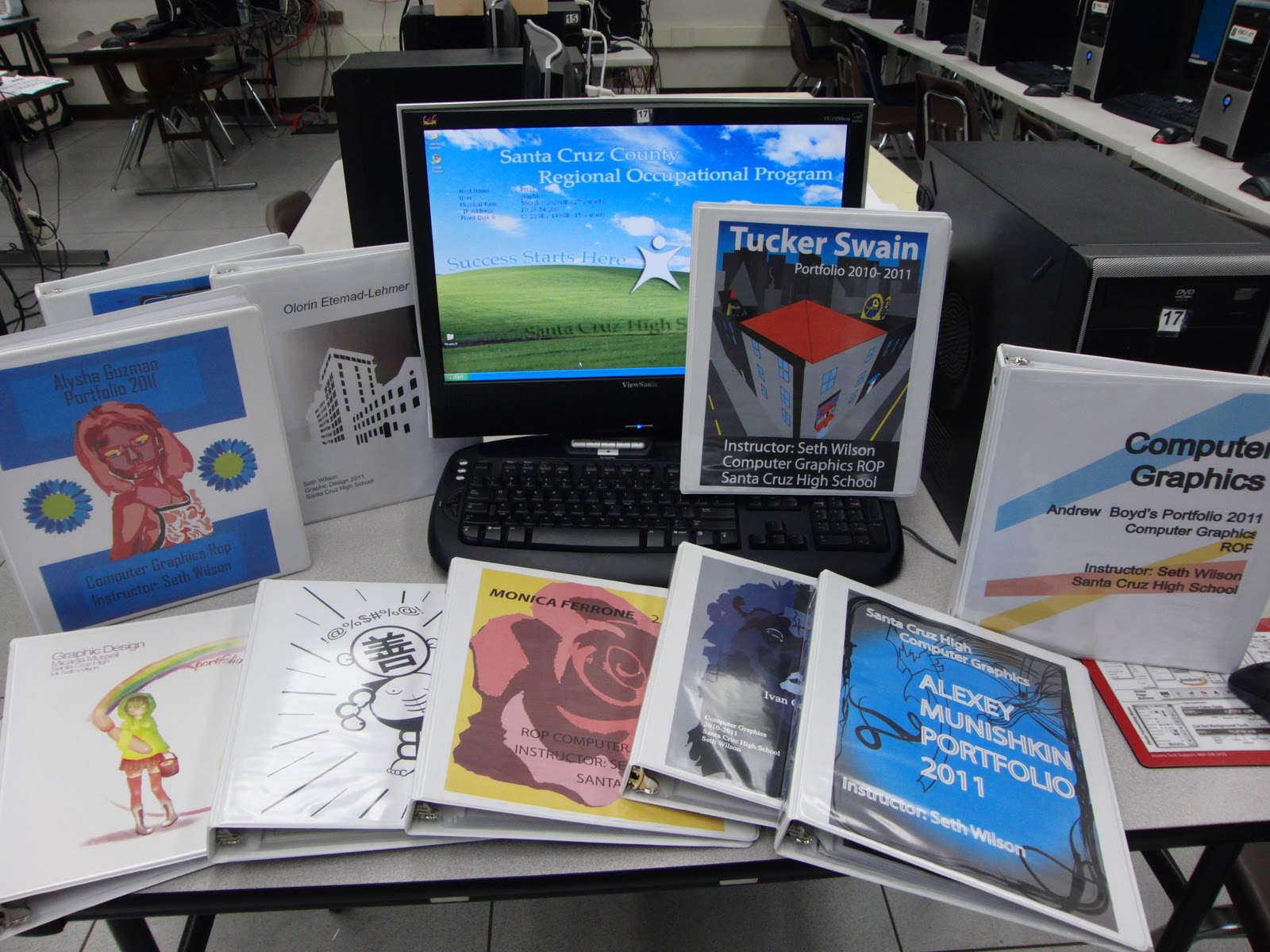
Examples of student portfolio's from a computer graphics course.

Remember that the best portfolio in class will be sent to the portfolio design competition that ROP has at the end of each school year, your portfolio will compete against other classes across the county and there certificates for finalists and a prize for the winner.

A judge evaluates print portfolio's from past entrants...

Portfolio Development Assignment:
  • Your portfolio can be created with microsoft word or with Indesign
  • The final file you turn in to me must be a PDF document
  • Portfolio must meet the requirements in the ROP Portfolio Handbook
  • Your portfolio cover, table of contents and all materials should look clean and consistent. Use consistent design style across all aspects of your portfolio. The more extensive your portfolio is the better, that includes writing about your projects to document your learning progres

Your Portfolio must contain in this order:
  • Cover page with your name, class title, year. Spend some time on this, it should show good design skill and be reflective of your personality
  • Table of contents
  • Letter of Introduction
  • Resume
  • Handwritten Job Application 
  • List of References
  • Letter of Recommendation -  cannot be from your ROP teacher or a family member
  • 3 or more work samples with written explanation about the work, why is it important to your career choice? What did the project entail, what were the challenges and difficulties? Give us details. 
  • You are responsible for printing and binding your portfolio
  • Sky is the limit, you can add your own style to the entire portfolio
How Your Portfolio Is Evaluated:
  • Contains required content and format
  • Well organized
  • Free of grammar errors
  • ROP related work samples
  • Shows creativity
  • Shows skill development
  • Appropriate for use in job search
  • Professional yet creative appearance

Use this as a rough guide to laying out your own portfolio...
Ok have fun!

- Mr.W

How To Write A Good Great List Of References


Students,

It is incredibly important to develop a great list of references. These references will help you obtain jobs, college admission or acceptance into special programs.

Who makes a good reference?

  • Teacher
  • Coach
  • Counseler
  • Present or past employer
  • Family friend
  • Anyone that can speak highly of your abilities, skills and worth


References to avoid:

  • Anyone under 18
  • Personal friends
  • family members
  • Anyone who cannot speak highly of your abilities or skills

Important Tips:
The format of your references should match your resume exactly, same header, same fonts.
Do not include references on your resume
Include at least three references
All references should be responsible adults who know you well and can speak to your character and skills
Always ask whether or not someone is willing to be a reference before including them in your list
Verify the contact information before handing over to an employer

Format:
Use the following format for your references

Persons Name:   Bob Smith
Address:            123 Fake Street
                          Santa Cruz Ca, 95060
Phone #:             (831) 555-4321
Title and              Business Owner
work place:         Moland Spring Bottled Water

- Mr.W